Simulation software
Topic outline
-
-
Forum
-
-
This course manual, titled "Simulation Software," is a cross-disciplinary subject designed for third-year undergraduate students majoring in Electrotechnics, during the 5th semester. The curriculum of this course is designed to introduce students to the use of simulation software, which is essential for studying and replicating electro-energetic systems. The tools covered primarily include MATLAB, SIMULINK, Excel, PSim, PSpice, Proteus, Scilab, and other relevant software.
The main objective of simulation using MATLAB/SIMULINK is to enable students and professionals to analyze and understand the behavior of electro-energetic systems virtually before any real implementation. MATLAB and its extension SIMULINK are powerful tools that offer an integrated environment for modeling, simulation, and analysis of complex dynamic systems, particularly in the field of electrotechnics.
Through MATLAB/SIMULINK, students are able to design, model, and simulate complex electro-energetic systems, thereby acquiring a key skill for their future careers in electrotechnics.
Simulation is essential for several reasons:
- Predictive Analysis: It allows predicting the behavior of a system under various operating conditions without risking damage to real equipment or disrupting a production system.
- Optimization: Simulations enable the adjustment and optimization of system parameters to improve their performance and energy efficiency.
- Time and Cost Efficiency: Testing and validating a model through simulation is much more economical and quicker than building and testing multiple physical prototypes.
- Safety: It allows studying critical scenarios or extreme situations that would be dangerous or impossible to test on a real system.
- Training and Education: Simulations provide an interactive and practical learning environment where students can observe real-time effects of changes made to a system, thereby reinforcing their theoretical understanding.
Writing Method
Any suggestions for improving this course are welcome. Although we have taken care to eliminate errors, perfection remains a difficult goal to achieve. We therefore encourage teachers, students, and other users to report any errors or omissions that may have slipped into this manual.
To facilitate learning, each chapter concludes with application exercises and review questions designed to test understanding of the concepts presented. Practical examples, explanatory diagrams, and correlations between different chapters are also provided to help students better grasp the content.

Course Organization
In accordance with the official syllabus, this course is structured into seven chapters:
- Chapter 1: Introduction to MATLAB
This chapter covers an introduction to MATLAB, its environment, and the basics of its use. Students will learn to manipulate command windows, variables, and perform basic operations.
- Chapter 2: Data Types and Variables
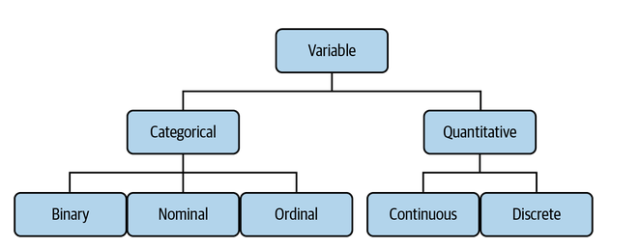
This chapter deals with different data types and variables in MATLAB, including complex numbers, Boolean variables, vectors, matrices, and polynomials.
- Chapter 3: Graphics
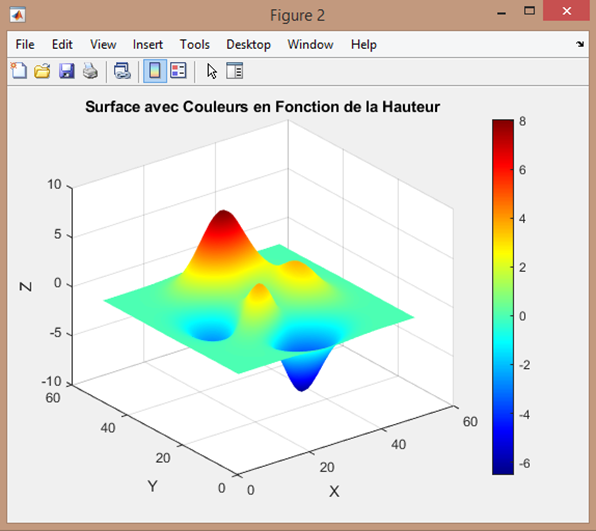
Students will learn to manage graphic windows and represent data in 2D and 3D, including Cartesian and polar coordinate graphs.
- Chapter 4: Programming in MATLAB
This chapter introduces arithmetic, logical, and special operators, as well as the creation and use of M-files, scripts, and functions.
- Chapter 5: Introduction to SIMULINK
Students will become familiar with SIMULINK libraries and learn to create and manipulate subsystems, including the use of masks and callbacks.
- Chapter 6: Simscape Electrical
This chapter presents the Simscape Electrical blocks, with a focus on case studies involving the simulation of an electro-energetic system.
- Chapter 7: Simulation and Co-simulation with Other Software
This final chapter explores the possibilities of simulation with other software such as Microsoft Excel, PSim, PSpice, Proteus, and Scilab, as well as co-simulation with SIMULINK.
-
File
-
-
-
Objectifs pédagogiques
- Acquérir une compréhension solide de l’environnement MATLAB et SIMULINK.
- Maîtriser les concepts fondamentaux de la programmation sous MATLAB (scripts, fonctions, structures de contrôle).
- Apprendre à manipuler les données (scalaires, vecteurs, matrices, polynômes) et à exploiter les outils graphiques 2D et 3D.
- Comprendre les principes de la modélisation et de la simulation des systèmes dynamiques et électro-énergétiques.
- Utiliser SIMULINK et Simscape Electrical pour modéliser, simuler et analyser des systèmes électriques et énergétiques.
- Initier les étudiants à la co-simulation et à l’interopérabilité avec d’autres logiciels de simulation (PSIM, PSpice, Proteus, Scilab, Excel).

Compétences visées
À l’issue de ce module, l’étudiant sera capable de :
- Utiliser efficacement l’environnement MATLAB pour la résolution de problèmes d’ingénierie.
- Développer des scripts et des fonctions MATLAB structurés et documentés.
- Représenter et analyser des données à l’aide de graphiques 2D et 3D adaptés.
- Modéliser et simuler des systèmes dynamiques et électriques sous SIMULINK.
- Exploiter Simscape Electrical et Specialized Power Systems pour l’étude des réseaux électriques, des machines et de l’électronique de puissance.
- Réaliser des études de simulation, analyser les résultats et interpréter les performances des systèmes simulés.
- Mettre en œuvre des techniques de co-simulation et d’échange de données entre MATLAB et d’autres outils de simulation.

-
-
-
-
Lesson
-
File
-